

How to Stay Cyber Safe at Home and at Work
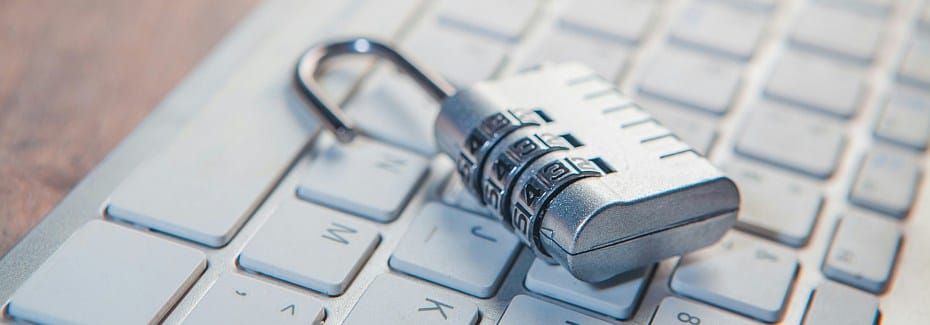
Let’s be honest—most of us don’t think about cybersecurity until something goes wrong. But 2025 made it pretty clear that waiting isn’t a strategy anymore. Researchers tracked 794 significant data breaches last year, exposing over 306 million records (Proton). Ransomware attacks jumped 50% from the year before (NCC Group). And for the first time in six years, North America became the most attacked region in the world, accounting for 29% of all incident response cases tracked by IBM X-Force.
With tax season in full swing, cybercriminals are more active than ever. The good news? Most attacks succeed because of simple, fixable mistakes. Here’s what you can do about it.
Spot the Scam Before It Gets You
Scams don’t look the way they used to. Forget the broken English and fake lottery wins—today’s phishing emails, texts, and social media messages are polished, personalized, and increasingly generated by AI. In 2025, AI-powered deepfakes were involved in more than 30% of impersonation attacks (NCC Group).
A few things to watch for:
- “Your account will be suspended.” “Claim your refund now.” That pressure is intentional—it’s designed to make you click before you think.
- Weird sender addresses. Look closely. Scammers register domains one letter off from the real thing.
- Requests through unusual channels. Your bank isn’t going to ask for your login credentials over text or WhatsApp.
- Too-good-to-be-true offers. Guaranteed returns, surprise job offers, anything that requires upfront payment.
Tax season heads up: The IRS will never contact you by email, text, or social media. If you get a message claiming there’s an issue with your return or refund, go directly to IRS.gov—don’t click any links. Filing early is one of the best things you can do right now. It closes the window for someone to file a fraudulent return using your information before you do. Also, sign up for the annual free IRS PIN to use as a second factor authentication during submission.
Protect Yourself Before Something Happens
Here’s the thing about most breaches—they don’t start with sophisticated hacking. They start with a stolen password. Nearly half of all data breaches in 2025 involved compromised credentials (Proton). IBM X-Force researchers found more than 300,000 stolen ChatGPT credentials listed for sale on the dark web last year alone.
A few habits that make a real difference:
- Use a password manager. Stop reusing passwords. A password manager generates strong, unique ones for every account and remembers them for you.
- Turn on multi-factor authentication (MFA). Especially on email, banking, and any work accounts. An authenticator app is more secure than a text code.
- Keep your software updated. In 2025, the average time between a vulnerability being discovered and criminals exploiting it dropped to about one day (NCC Group). Updates close those doors fast.
- Store sensitive files securely. Tax documents, financial records, contracts—these shouldn’t live in a regular email thread. Use encrypted storage.
If you run a business, pay close attention to who has access to your systems—including vendors and third-party tools. Ryan Anschutz, North America Leader for IBM X-Force Incident Response, put it simply: attackers “don’t need zero-days, they just need valid credentials and a little bit of patience.” In January 2026, a ransomware attack on Covenant Health exposed the personal and medical data of nearly 478,000 patients—a reminder that access that isn’t actively managed is access that can be abused.
How to Tell If You’ve Been Hacked
Sometimes you know right away. Sometimes you don’t find out for weeks. Here’s what to look for:
- Logins from locations or devices you don’t recognize
- Passwords that suddenly stop working
- Friends or coworkers getting strange messages from your accounts
- Charges on your bank or credit card you didn’t make
Check https://haveibeenpwned.com —it’s free and tells you if your email has shown up in a known data breach. It takes about 10 seconds.
To report in the US:
- Cybercrime → IC3.gov
- Identity theft → IdentityTheft.gov
- Tax fraud → Contact the IRS Identity Protection Specialized Unit immediately
What to Do If It Happens to You
Move fast, but don’t panic.
- Change your passwords right away—start with email, then anything connected to it.
- Sign out of all active sessions. Most platforms let you do this remotely in your account settings.
- Call your bank if any financial information is involved.
- Place a credit freeze if your Social Security number is exposed. It’s free, it’s fast, and it prevents anyone from opening new accounts in your name—which is especially important during tax season.
- Don’t wipe your devices before talking to a professional. Evidence matters.
And stay alert in the weeks after. Leaked data gets used in follow-on attacks—scammers will reference your real name or recent activity to seem legit.
Staying safe online doesn’t require being a tech expert. It just requires a few good habits, applied consistently. That’s what #StaySafeOnline is all about—and it’s as relevant in March as it is in October.
Photo by Sasun Bughdaryan on Unsplash