

October is Cybersecurity Awareness Month: Don’t Make It Easy for Them
 October is Cybersecurity Awareness Month, an annual campaign led by the Cybersecurity and Infrastructure Security Agency (CISA) and the National Cybersecurity Alliance (NCA). Now in its 23rd year, the campaign helps individuals and businesses protect themselves from cybercrime with simple, effective habits.
We are proud to be a registered 2026 Cybersecurity Awareness Month Champion, and we’ll be sharing tips and graphics all month long.
This year’s theme is “Don’t Make It Easy for Them.” The message is familiar, but the twist is new. Instead of just playing defense, we’re going on the offensive. Every strong password, every MFA prompt, and every ignored scam text make a cybercriminal’s job harder. Staying safe online isn’t about making one perfect decision. It’s about building good habits and repeating them every day.
Meet the Cybercriminals Counting on Your Shortcuts
This year, NCA is telling the true stories of four real criminals and criminal organizations. Some have been arrested, but many more are following in their footsteps. Here’s who they are and how to make their lives difficult.
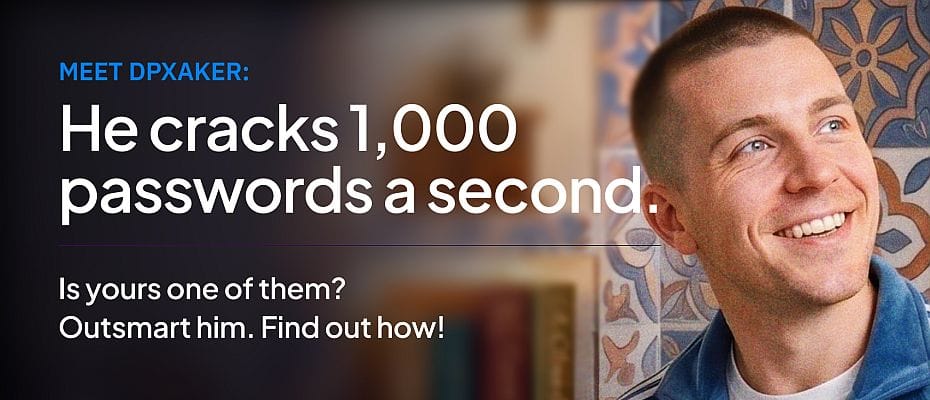
dpxaker: He Loves Short, Reused Passwords
Dariy Pankov, known online as “dpxaker,” sold password-cracking software to other criminals for just $250. His program tests thousands of password combinations every second, and it works fastest against short passwords, pet names, birthdays, and passwords you’ve used before.
- Go long. Every password should be at least 16 characters.
- Make it unique. Never reuse a password across accounts.
- Make it random. Use a mix of letters, numbers, and symbols.
- Use a password manager. It creates and stores strong passwords for you, and many are free.
An 8-character password can be cracked in seconds. A random 16-character password could take billions of years.
Zestix: MFA Is Such a Pain (for Him)
Zestix broke into more than 50 multinational companies because some employees never turned on multifactor authentication. Criminals buy stolen passwords on the Dark Web or pull them from data breaches, then use automated tools to try them everywhere. If a password is the only lock on your account, it’s an open door.
- Turn on MFA for every account that offers it.
- Use an authenticator app (Microsoft Authenticator, Google Authenticator, Duo) or biometrics like Face ID whenever possible.
- Don’t recycle passwords by adding a symbol or number to an old one.
Cozy Bear: Roar Back with Software Updates
Cozy Bear is a Russian-backed group that hunts for outdated software. When a company releases a security update, they study it to learn what it fixes, then search for people and businesses who haven’t installed it yet. Every time you click “Remind Me Later,” you’re giving them a head start.
- Turn on automatic updates for your devices, browsers, and apps.
- Check regularly that everything is up to date.
- Restart when prompted. Most updates take 5 minutes or less.
Giant Company: Don’t Take the Bait
Giant Company was a massive scam operation based in Myanmar that targeted everyday Americans. Nearly 300 people were arrested, and 9 scam centers were shut down, but it’s just one of many. Scammers pose as your bank, your boss, a delivery service, tech support, or even a family member. With AI, they can now send more convincing messages faster than ever.
- Be suspicious of every unexpected message, especially if it’s urgent or asks for payment.
- Take a few seconds to review any email, text, DM, or call before you react.
- Watch for pressure tactics like fear (“Your account was hacked!”) or excitement (“You won a prize!”).
You don’t have to click, reply, or answer. Your skepticism is their biggest enemy.
Back to School: Make It Hard for Them at Home, Too
With kids back in the classroom and online for homework, gaming, and socializing, this is a great time to set family ground rules. The risks are real: a 2026 Norton report found that more than half of parents whose kids play chat-enabled games said their child had talked with a stranger, and 29% said the stranger tried to move the conversation to another platform.
NCA recently published Family Tech Rules We Think You Should Consider, and we recommend reading the full article. Here are a few highlights:
- Delay the smartphone. NCA suggests waiting until 16 to 18. A basic phone or smartwatch can cover the “I need to reach you” need.
- Charge devices outside bedrooms overnight. A family charging station cuts down on late-night scrolling and the secret conversations that scammers and predators depend on. (This one applies to parents too!)
- Keep devices in shared spaces. Laptops, tablets, and gaming systems belong in the kitchen or living room.
- No downloads without permission. Research new apps and games together using resources like Common Sense Media and the ESRB.
- Never share real information. That includes full names, school, address, phone number, and location.
- Keep talking. Check in weekly about what they’re doing online so they know they can come to you if something feels wrong.
- Talk to other parents about the tech rules in their homes before sleepovers and playdates.
For college students heading back to campus, the same four habits apply: long unique passwords, a password manager, MFA on every account (especially school email and financial aid portals), and a healthy suspicion of “urgent” messages about tuition, jobs, or housing.
Join the Conversation
Practicing good cyber hygiene is something anyone can do. Follow CISA and NCA on social media, sign up for the free NCA newsletter, and join NCA’s free Cybersecurity Awareness Month 2026 Virtual Kick-off on October 1.
This October, let’s make it a fun month for us and a difficult month for cybercriminals. For more information or assistance protecting your family or business, contact us for a consultation.